

Why Use a Bluetooth Keyboard?
- Larger, more comfortable keys – No more struggling with tiny on-screen buttons.
- Less strain on hands – Great for those with arthritis or limited dexterity.
- Better for longer typing sessions – Ideal for writing emails or taking notes.
- Works with most devices – Connects to iPhones, Androids, iPads, and tablets.
How to Connect a Bluetooth Keyboard to Your Phone
- Turn on the keyboard and switch it to Bluetooth mode.
- Open Bluetooth settings on your phone. (Usually in Settings > Bluetooth.)
- Put the keyboard in pairing mode (Check the manual, usually a button combination).
- Select the keyboard when it appears on your phone’s Bluetooth list.
- Follow any on-screen instructions, like typing a pairing code.
Once connected, you can start typing instantly—whether it’s a WhatsApp message or a full document!
I’d recommend the Logitech Pebble Keys 2 which is on sale in Amazom now for £27.99
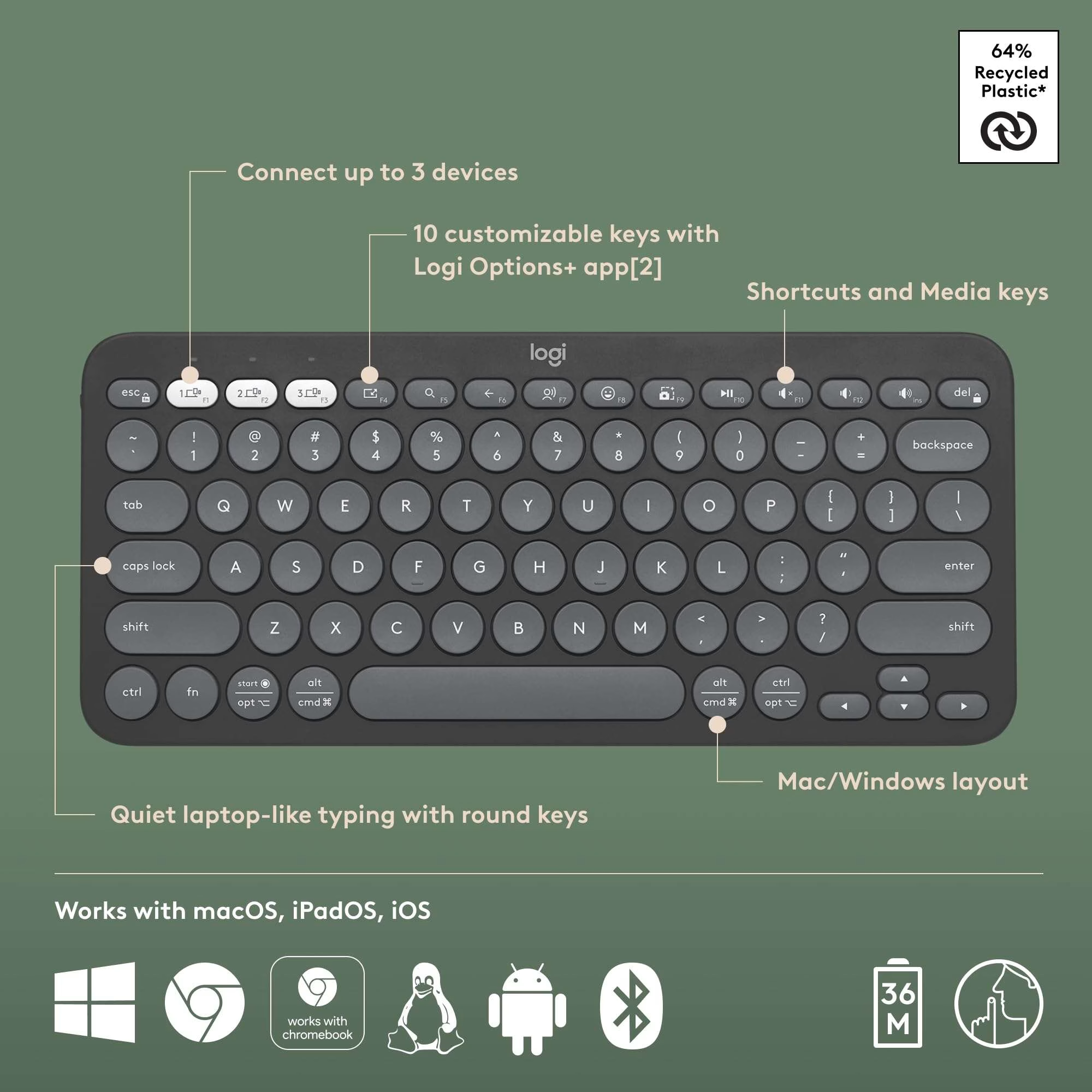
Why the Logitech Pebble Keys 2 is the Best Choice
There are plenty of Bluetooth keyboards out there, but the Logitech Pebble Keys 2 stands out as an excellent choice, especially for those who want something stylish, practical, and easy to use. Here’s why:
- Sleek, compact, and lightweight – Easy to carry, perfect for home or on the go.
- Whisper-quiet keys – Type without loud clicking noises.
- Seamless switching between devices – Connect to up to three devices and swap between them at the touch of a button.
- Long battery life – No need to worry about constant recharging.
Stylish design – Available in a range of colours to suit your style.
How to Connect the Logitech Pebble Keys 2 to Your Phone
Setting up your new Bluetooth keyboard is quick and easy:
Turn on the keyboard and switch it to Bluetooth mode.
Open Bluetooth settings on your phone (usually found in Settings > Bluetooth).
Press the pairing button on the keyboard (check the manual for the exact key combination).
Select the keyboard when it appears in the Bluetooth list.
Follow any on-screen instructions (you may need to enter a pairing code).
Once paired, you’re ready to type—whether it’s a WhatsApp message, an email, or even a full document.
Final Thoughts
If you find typing on your phone difficult or frustrating, the Logitech Pebble Keys 2 is a fantastic investment. It’s easy to use, comfortable, and available at a great price right now. Don’t miss out on this deal—upgrade your typing experience today!


Leave a Comment