

If you own an Amazon Alexa, you might have experienced it playing music at the same time every day or announcing reminders you don’t even remember setting. This can quickly go from being helpful to downright frustrating!
The good news is that these issues are easily manageable—if you know how to use the Alexa app on your smartphone or tablet.
Why You Need the Alexa App
The Alexa app is your central hub for managing everything your device does. While you can ask Alexa to set reminders, timers, and routines directly, it’s far easier to review and change these settings using the app.
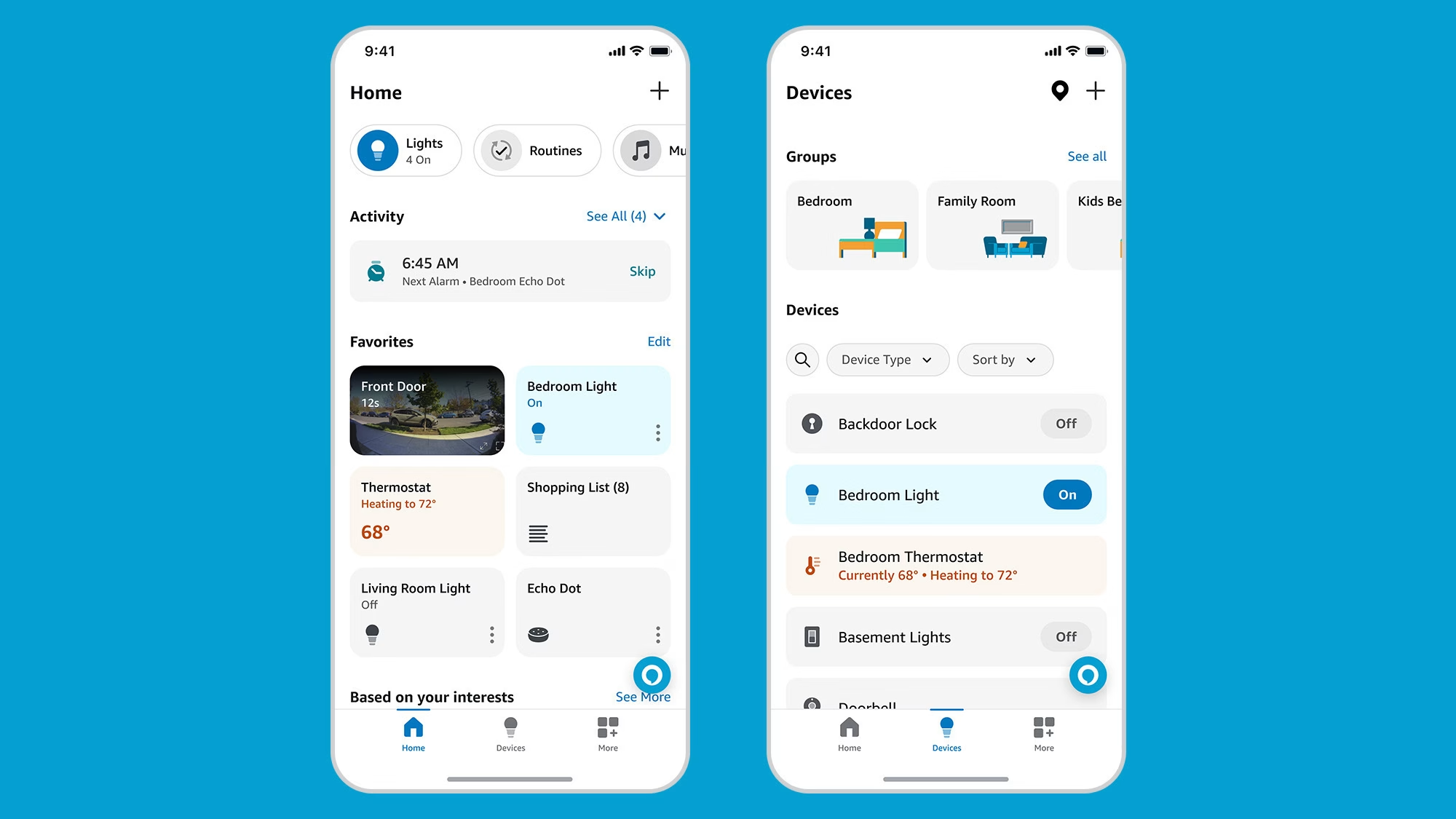
The app allows you to:
- View and Edit Reminders: Check which reminders are active and delete or reschedule them with a few taps.
- Control Routines: Alexa routines can automate actions like playing music at a specific time. In the app, you can easily see all routines and toggle them on or off.
- Check Device Settings: Ensure your Alexa device is behaving as expected by reviewing its settings for any unintended automation.
Steps to Regain Control
- Download the Alexa App: If you haven’t already, download the app from the Apple App Store or Google Play Store.
- Sign In with Your Amazon Account: Use the same account linked to your Alexa device.
- Navigate to Reminders and Routines:
- Open the app and tap the menu (☰) in the top-left corner.
- Select Reminders & Alarms to manage reminders.
- Go to Routines to see any automated actions Alexa is set to perform.
- Edit or Delete as Needed: Tap on any reminder or routine to edit, disable, or delete it.
Quick Tips
- Naming Matters: Be specific when naming reminders or routines to avoid confusion later.
- Disable Unnecessary Features: If Alexa is doing something you don’t need, like suggesting songs or announcing the weather every morning, you can turn off these features in the app.
- Regularly Check Settings: Make it a habit to review your Alexa app periodically to ensure it’s doing only what you want.
By taking these simple steps, you can ensure that Alexa serves as a helpful assistant rather than an annoying housemate!


Leave a Comment